Screen Recorder Video Recorder

10M+
Installs
Video Screen Recorder, Voice Audio Editor, Cut MP3
Developer
-
Video Players & Editors
Category
-
Everyone
Content Rating
-
https://v2.static.superlabs.info/recorder/privacy/gp_index.html?lang=en
Privacy Policy
Screenshots
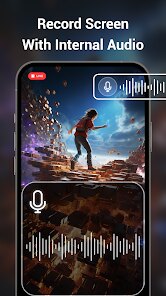
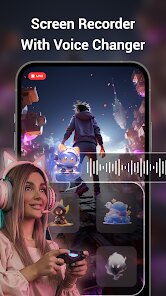
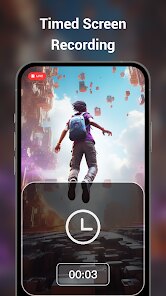
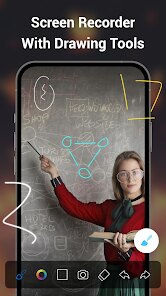
editor reviews
Let me start by saying this: I've tested quite a few screen recording apps over the years, and most of them fall into two camps—either they're overloaded with features that hardly ever work properly, or they're so basic that they feel incomplete. This app, Screen Recorder Video Recorder by Video Screen Recorder, Voice Audio Editor, Cut MP3, has a pretty clear goal: provide a straightforward way to capture your screen, record yourself with audio, and do some basic editing afterward. The name alone tells you what the developers had in mind—it's not trying to be a professional editing suite.
Who is this app for exactly? I'd say it's for casual users who need to quickly record a tutorial, capture a video call, or maybe save a live stream. Students and people who create short content for social media might find it especially useful. The core function—screen recording—works fine. You press a button, and it starts capturing. The floating control panel is convenient and stays out of your way. One issue I ran into during testing, though, was that once in a while, the audio sync would lag, especially during longer recordings. That was kind of frustrating because you think everything's fine, then you play it back and realize the voice is slightly behind the video. The editing side is very barebones. There's a trimmer, and you can cut parts out, but you can't really merge clips or add text overlays. For quick cuts though, it does the job. The app solved my personal problem of needing to record a Zoom lecture for later review during a spotty internet connection. That worked, but I didn't trust it for anything critical after I saw the audio issue.
I would recommend this app to someone who just needs a no-fuss screen recorder and isn't too picky about perfection. For instance, if you're in a hurry and need to capture a short demonstration or record a quick gaming clip for a friend, this works fine. It's less reliable if you're recording your own podcast or a professional session where audio sync is critical. For those scenarios, I'd go with something more established.
features
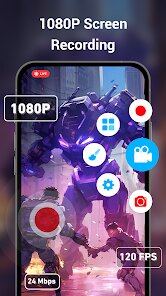
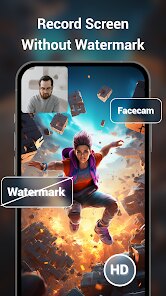
- 📱 Floating control panel for easy access: One thing I really appreciated was the floating bubble that stays on top of everything. You don't have to dig into settings or swipe down from the notification bar every time. You just tap the bubble, hit record, and it starts. This small convenience saves so much time compared to other apps where I had to navigate away from what I was recording. It collapses neatly and doesn't interfere with touch events unless you want it to. For anyone who records frequently, this feature alone makes the app worth trying.
- 🎤 Built-in audio recording with noise suppression: The app lets you record internal audio, mic audio, or both simultaneously. The noise suppression is there, but honestly, it's not very strong. In my tests with a fan running in the background, the audio was cleaner than without the feature, but you could still hear some hum. It's a notch above apps that have zero filtering but still far from professional-grade audio clean-up. For casual use, like recording a voiceover for a quick video, it's perfectly acceptable. I used this to record myself narrating a game walkthrough, and the voice came through clearly, despite some background noise from my PC fans.
- ✂️ Basic video trimming and cutting: The editing suite is simple—there's no timeline or layers, just a trim tool. You can select the start and end points of your video or audio and cut out the parts you don't need. It's fast and doesn't re-encode the whole file, which means the export takes only a few seconds. I found myself using this to chop off the awkward beginning and end of my recordings. It's nothing fancy, but for TikTok or Instagram Reels prep, it works well enough. If you need more than that, like adding text, stickers, or transitions, you'll have to go to another app.
pros
- 👍 User interface is clean and simple: No steep learning curve—you open it, and you can record within seconds. Everything is labeled clearly, and the design follows Android's material design guidelines, which feels familiar and responsive. This is a big plus for less tech-savvy users.
- 👍 Recording quality is customizable: You can set the resolution, frame rate, and bitrate before you start. This flexibility means you can prioritize quality over file size or vice versa. It's helpful if you're sending clips over messaging apps and want smaller files.
- 👍 No time limit on recordings: I tested a 45-minute recording, and it kept going without crashing or overheating my device. Many free screen recorders cut you off at 10-15 minutes unless you pay, so this is a nice touch.
cons
- 👎 Occasional audio desync in longer recordings: As I mentioned earlier, this is a dealbreaker if audio accuracy matters to you. For a 10-minute video, it's fine, but once you cross the 20-minute mark, the lag becomes noticeable. I checked on two different phones (Xiaomi and Samsung), and the issue appeared on both.
- 👎 Ads can be intrusive: The free version shows a full-screen ad after you stop recording and before you can preview the video. It feels disruptive, especially when you're trying to quickly check if the recording looks good. The ads aren't skippable for the first few seconds, which adds unnecessary wait time.
- 👎 Export quality drops on lower-end devices: On my older budget phone, the video output looked grainier than what was shown during recording. The frame rate also seemed choppier. So the performance is heavily tied to your device's capabilities, which is disappointing if you don't own a flagship phone.
Recommended Apps
![]()
Astra - Life Advice
Vert Media Partners4.4
![]()
Question.AI - Chatbot&Math AI
D3 DIMENSION TECHNOLOGY PTE.LTD.4.5
![]()
Anima
ChristopherMoore03.2![]()
Suno - AI Music & Songs Maker
Suno, Inc4.8![]()
Name Meaning
Dexati4.1![]()
Reface: Face Swap & AI Videos
NEOCORTEXT, INC.4![]()
Astroscope: Astrology Guide
Astroscope App4.5![]()
Passport Parking
Passport Labs, Inc.2.5![]()
AXS Tickets
AXS, LLC4.2![]()
Call Santa Claus & Prank Call
WELLY GLOBAL PUBLISHING3.5![]()
PawAI: AI Cartoon Pet Filter
Now Tech3.1![]()
Waymo
Waymo LLC4.9![]()
Live football TV
Findy360 Software LLC3.7![]()
Pedometer - Step Counter
Simple Design Ltd.4.8![]()
Face Live Camera: Face Filters
Lyrebird Studio4.1















You May Like
-
![]()
FORCETELLER Astrology & Saju
Team UN7QI34.5 -
![]()
Daily Horoscope & Astrology
TELEMAQUE4.2 -
![]()
Yahoo Sports: Scores & News
Yahoo4.7 -
![]()
Uber Eats: Food Delivery
Uber Technologies, Inc.4.3 -
![]()
How I will die - Predict death
Bimdu3.2 -
![]()
Quiz Reels: Filter Challenge
Now Tech3.9 -
![]()
Broken Screen 4K Funny Pranks
Braly JSC4.1 -
![]()
Prisma3D - Animation, Modeling
Prisma3D2.8 -
![]()
Wonder - LGBTQ+ Dating App
Bumpy Inc.4.3 -
![]()
PicSo – Customize Your AI Girl
Meta Insight3.7 -
![]()
Plant App - Plant Identifier
ScaleUp4.6 -
![]()
Software Update for my phone
Art & Tool Studio4.1 -
![]()
Kling AI: AI Image&Video Maker
Lohas Games Pte. Ltd.4.4 -
![]()
Google Home
Google LLC4.2 -
![]()
Fingerprint Scan Simulator
Dream-Up3.6















Disclaimer
1.Apponbest does not represent any developer, nor is it the developer of any App or game.
2.Apponbest provide custom reviews of Apps written by our own reviewers, and detailed information of these Apps, such as developer contacts, ratings and screenshots.
3. All trademarks, registered trademarks, brand names and company names or logos appearing on the site are the property of their respective owners.
4.Apponbest abides by the federal Digital Millennium Copyright Act (DMCA) by responding to notices of alleged infringement that complies with the DMCA and other applicable laws.
5.If you are the owner or copyright representative and want to delete your information, please contact us [email protected].
6.All the information on this website is strictly observed all the terms and conditions of Google Ads Advertising policies and Google Unwanted Software policy.
7.apponbest.com is an independent, information-only website which is 100% free to all the users.