

LastSeen

10M+
Installs
Web-Source Ltd
Developer
-
Finance
Category
-
Everyone
Content Rating
-
https://lastseentracker.com/privacy
Privacy Policy
Screenshots
editor reviews
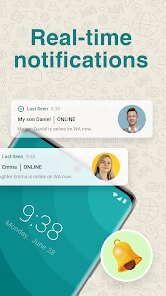
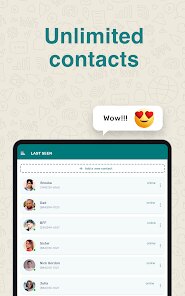
LastSeen came into my life at a moment when I desperately needed to understand how I was spending my digital hours. This app, developed by Web-Source Ltd, tracks your phone usage patterns by monitoring when you unlock your device and which apps you gravitate toward. It feels like a personal detective for your smartphone habits, designed for anyone who suspects they might be spending too much time staring at that glowing screen. The core function revolves around logging every instance of phone interaction and presenting that data in digestible charts and statistics.
What really struck me during my weeks of testing was how accurately it captured my usage patterns. I discovered I was checking social media apps nearly forty times a day, often during moments of boredom or anxiety. The app helped me identify these triggers by showing me the exact times when my phone usage spiked. It solved a problem I did not even know I had properly articulating why I felt so drained at the end of each day. The statistics painted an honest picture of my digital life, making me confront habits I had been ignoring.
The additional features, such as daily usage limits and notification summaries, added genuine value to the experience. Setting a limit for Instagram meant the app would alert me when I had crossed my desired threshold. This gentle nudge helped me cut my scrolling time by half within the first week. For anyone struggling with phone dependency, students trying to focus during study sessions, or professionals aiming to reclaim lost productivity hours, LastSeen offers the kind of honest feedback that prompts real change. It works best when you are ready to see the truth about your digital habits and want a tool to hold you accountable.
features
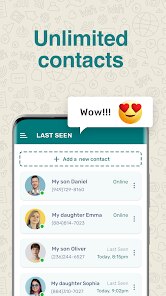
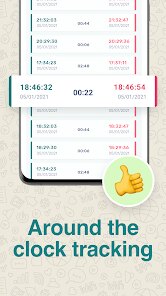
- The app's usage tracking dashboard displays your daily unlock count and time spent on each application through clean, color-coded graphs. You can compare your current habits against previous days or weeks, which creates a powerful visual narrative of your digital behavior. The data refreshes in real-time, so you can watch your usage change throughout the day.
- The notification summary feature groups all your alerts from various apps into one consolidated timeline. This allows you to see exactly which applications are demanding your attention most frequently. I discovered my email client was sending over fifty notifications daily, prompting me to adjust my settings and reduce unnecessary interruptions.
- The goal-setting system lets you define specific targets for screen time reduction. You can set daily limits for individual apps or for total phone usage, and the app will send reminders when you approach those boundaries. The progress tracking shows your streaks of meeting goals, which gamifies the experience of building better habits.
- The weekly report feature compiles your usage data into a comprehensive summary sent directly to your email. This report highlights your most-used apps, peak usage hours, and compares your current week against previous periods. It provides the kind of long-term perspective that helps identify trends and measure genuine improvement over time.
pros
- The app collects data without draining your battery excessively, which is a common concern with background tracking tools. I noticed no significant impact on my phone's performance during testing.
- The interface language is straightforward and avoids technical jargon, making usage statistics accessible even for people who are not particularly tech-savvy.
- The privacy-focused approach means all your usage data stays on your device, never uploaded to external servers. This gives peace of mind when tracking sensitive digital habits.
cons
- The app occasionally misidentifies background processes as active usage, inflating the time shown for certain applications. This can skew your statistics and make it harder to trust the data completely.
- There is no cross-device synchronization, so if you use multiple phones or a tablet, you will get only a partial picture of your overall digital footprint.
- The customization options for reports feel limited. Users who want to filter data by specific time ranges or exclude certain apps from tracking may find the current system too rigid for their needs.
Recommended Apps
![]()
Astra - Life Advice
Vert Media Partners4.4
![]()
Question.AI - Chatbot&Math AI
D3 DIMENSION TECHNOLOGY PTE.LTD.4.5
![]()
Anima
ChristopherMoore03.2![]()
Suno - AI Music & Songs Maker
Suno, Inc4.8![]()
Name Meaning
Dexati4.1![]()
Reface: Face Swap & AI Videos
NEOCORTEXT, INC.4![]()
Astroscope: Astrology Guide
Astroscope App4.5![]()
Passport Parking
Passport Labs, Inc.2.5![]()
AXS Tickets
AXS, LLC4.2![]()
Call Santa Claus & Prank Call
WELLY GLOBAL PUBLISHING3.5![]()
PawAI: AI Cartoon Pet Filter
Now Tech3.1![]()
Waymo
Waymo LLC4.9![]()
Live football TV
Findy360 Software LLC3.7![]()
Pedometer - Step Counter
Simple Design Ltd.4.8![]()
Face Live Camera: Face Filters
Lyrebird Studio4.1














You May Like
-
![]()
FORCETELLER Astrology & Saju
Team UN7QI34.5 -
![]()
Daily Horoscope & Astrology
TELEMAQUE4.2 -
![]()
Yahoo Sports: Scores & News
Yahoo4.7 -
![]()
Uber Eats: Food Delivery
Uber Technologies, Inc.4.3 -
![]()
How I will die - Predict death
Bimdu3.2 -
![]()
Quiz Reels: Filter Challenge
Now Tech3.9 -
![]()
Broken Screen 4K Funny Pranks
Braly JSC4.1 -
![]()
Prisma3D - Animation, Modeling
Prisma3D2.8 -
![]()
Wonder - LGBTQ+ Dating App
Bumpy Inc.4.3 -
![]()
PicSo – Customize Your AI Girl
Meta Insight3.7 -
![]()
Plant App - Plant Identifier
ScaleUp4.6 -
![]()
Software Update for my phone
Art & Tool Studio4.1 -
![]()
Kling AI: AI Image&Video Maker
Lohas Games Pte. Ltd.4.4 -
![]()
Google Home
Google LLC4.2 -
![]()
Fingerprint Scan Simulator
Dream-Up3.6















Disclaimer
1.Apponbest does not represent any developer, nor is it the developer of any App or game.
2.Apponbest provide custom reviews of Apps written by our own reviewers, and detailed information of these Apps, such as developer contacts, ratings and screenshots.
3. All trademarks, registered trademarks, brand names and company names or logos appearing on the site are the property of their respective owners.
4.Apponbest abides by the federal Digital Millennium Copyright Act (DMCA) by responding to notices of alleged infringement that complies with the DMCA and other applicable laws.
5.If you are the owner or copyright representative and want to delete your information, please contact us [email protected].
6.All the information on this website is strictly observed all the terms and conditions of Google Ads Advertising policies and Google Unwanted Software policy.
7.apponbest.com is an independent, information-only website which is 100% free to all the users.



























