
Recovery Pro - File Recovery

1M+
Installs
Makes Your Life Easier
Developer
-
Productivity
Category
-
Everyone
Content Rating
-
https://sites.google.com/supernovajsc.com/privacy-policy-makes-easier
Privacy Policy
Screenshots
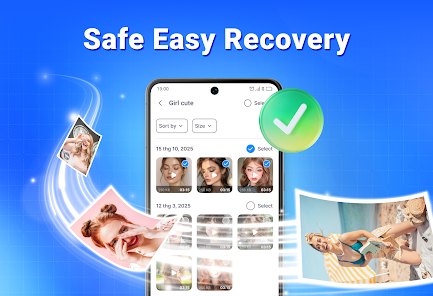

editor reviews
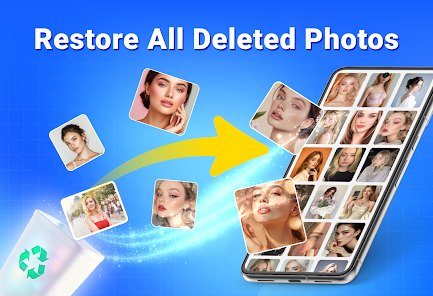
Recovery Pro - File Recovery is a data recovery tool designed to help users retrieve deleted or lost files from their devices. The app's core function is straightforward: it scans storage media for remnants of deleted data and attempts to reconstruct recoverable files. The target audience includes anyone who has accidentally deleted important documents, photos, or videos, as well as users dealing with corrupted storage cards or system crashes that resulted in data loss. It aims to solve the anxiety and financial cost of losing irreplaceable files by offering a do-it-yourself recovery option.
In my testing, the core scanning function worked reasonably well on a formatted SD card. I recovered a handful of JPEG photos and a couple of PDF documents that I had deleted a week earlier. The scan took a while, but the results were viewable before recovery, which helped me pick only the files I actually needed. The additional features, such as deep scan mode and file-type filtering, did add practical value. Deep scan found more fragmented files, though it took considerably longer. I used this app after mistakenly clearing a folder of work documents during a backup sync, and it managed to bring back most of the text files I needed. That said, not every file was recoverable, and some recovered images were partially corrupted.
Based on my experience, I would recommend this app to casual users and small business owners who need a quick, no-nonsense recovery solution for common deletion scenarios. It is most useful when files have been recently deleted, when the storage device has not been overwritten with new data, or when dealing with minor corruption issues. It is less suited to forensic-level recovery or severely damaged drives, where professional services are more appropriate. For everyday accidents like accidental deletion or formatting, it is a practical first step before spending money on specialist help.
features
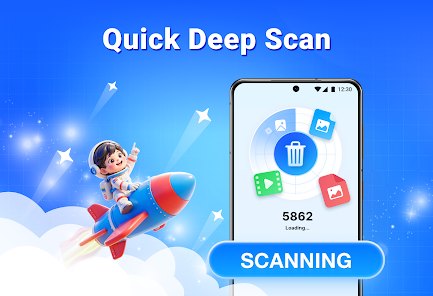
- 🔍 Scan modes: The app offers both quick and deep scan options. Quick scan is fast and works well for recently deleted files, while deep scan digs into fragmented sectors for older or partially overwritten data.
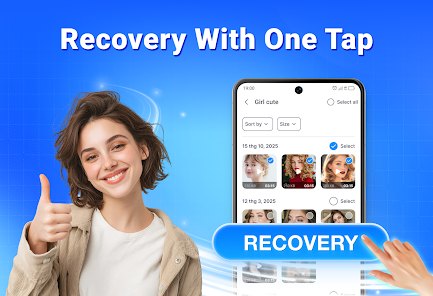
- 📂 File preview: Before committing to recovery, you can preview images, documents, and media files. This saves time and storage space by letting you select only what you actually need.
- 🎯 Filter and sort: Results can be filtered by file type, size, or date, which makes it much easier to navigate large scan results and locate specific files quickly.
- 💾 Selective recovery: Rather than recovering everything at once, the app lets you choose individual files, giving you control over what gets restored and where it is saved.
pros
- ✅ Simple interface: The layout is clean and intuitive, so even users with limited technical knowledge can navigate the recovery process without confusion.
- ✅ No root required: Unlike some recovery tools, this app does not demand root access, making it accessible to a wider range of users and reducing setup friction.
- ✅ Preview before recovery: Being able to check file integrity before restoring is a genuinely useful feature that prevents wasted effort on corrupted files.
- ✅ Handles multiple file types: From photos to documents, the app supports a broad range of formats, which covers most everyday recovery needs.
cons
- ❌ Inconsistent results: Recovery success varies widely depending on how recently files were deleted and whether the storage was overwritten. Some files came back damaged or incomplete.
- ❌ Slow deep scan: The deep scan mode is thorough but can take a long time, especially on larger storage cards, which may frustrate users who need quick results.
- ❌ Limited free version: The free tier restricts how many files you can recover, pushing users toward a paid upgrade before they can fully assess whether the app works for their situation.
- ❌ No guarantee of full recovery: Despite the app's name, there is no assurance that all deleted files will be found or restored intact, which can be disappointing in serious data loss cases.
Recommended Apps
![]()
Sprout - AI Job Search
Magnifex4.4
![]()
Doodle Art: Magic Drawing App
Peaksel Games4.4![]()
Gopuff - Grocery Delivery
Gopuff4.5
![]()
How I will die - Predict death
Bimdu3.2![]()
Google Calendar
Google LLC4.5![]()
Plant App - Plant Identifier
ScaleUp4.6![]()
Prediction 2026: Savage Reveal
LKPixel0![]()
FOX Sports: Watch Live Games
Fox Digital Services, LLC3.7![]()
Time Warp Scan Cam&Face Filter
HDY Apps4.4![]()
TouchTunes: Live Bar JukeBox
Touchtunes Interactive Networks3.2![]()
GPS, Maps, Voice Navigation
AppStar Studios3.9![]()
Girly Lock Screen Wallpaper
Prometheus Interactive LLC3.9![]()
PixVerse: AI Video Generator
PixVerse4.5![]()
ToonMe - Cartoon Face Maker
Otis Clare3![]()
Yuka - Food & cosmetic scan
Yuka App4.7













You May Like
-
![]()
DeepArtEffects AI Photo Editor
Deep Art AI GmbH4.6 -
![]()
FunVid: Funny Face Filters
Vibe Filter Club0 -
![]()
Fake video call - Prank call
HiddenScreen.NET0 -
![]()
Funny Gay Test
Test Master Lab4.2 -
![]()
Face Shape - Pretty Scale
GlintTec Apps3.9 -
![]()
Japan Timetable & Route Search
NAVITIME JAPAN CO., LTD.4.3 -
![]()
GroupMe
GroupMe4.5 -
![]()
Sam's Club: Shopping & Savings
Sam's Club4.8 -
![]()
Lie Detector Test Prank (Joke)
Neko Soft3.9 -
![]()
Google Voice
Google LLC4.3 -
![]()
AI Fusion - AI Merge Character
Braly JSC0 -
![]()
Reverse Voice: Flip Singing
NindaFuit0 -
![]()
Naughty or Nice Photo Scanner
Droidheads4.2 -
![]()
Walli - HD, 4K Wallpapers
Tap AI4.4 -
![]()
SafeAllergy - Allergen Scanner
MedCoderX0















Disclaimer
1.Apponbest does not represent any developer, nor is it the developer of any App or game.
2.Apponbest provide custom reviews of Apps written by our own reviewers, and detailed information of these Apps, such as developer contacts, ratings and screenshots.
3. All trademarks, registered trademarks, brand names and company names or logos appearing on the site are the property of their respective owners.
4.Apponbest abides by the federal Digital Millennium Copyright Act (DMCA) by responding to notices of alleged infringement that complies with the DMCA and other applicable laws.
5.If you are the owner or copyright representative and want to delete your information, please contact us [email protected].
6.All the information on this website is strictly observed all the terms and conditions of Google Ads Advertising policies and Google Unwanted Software policy.
7.apponbest.com is an independent, information-only website which is 100% free to all the users.