

Subway®

10M+
Installs
SUBWAY Restaurants
Developer
-
Food & Drink
Category
-
Everyone
Content Rating
-
https://www.subway.com/en-US/Legal/PrivacyStatement-FWH
Privacy Policy
Screenshots
editor reviews
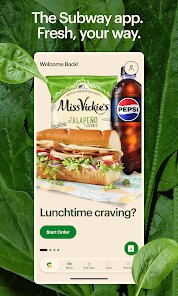
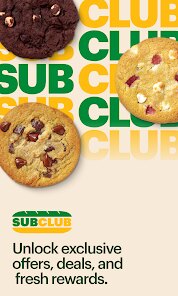
Subway's official mobile app aims to streamline the entire ordering experience for their customers. Instead of waiting in line and trying to communicate your custom sandwich build to a busy employee, you can now build your footlong from the comfort of your phone. The app serves regular customers who want to speed up their lunch break, but it also appeals to those who like to meticulously customize every ingredient without feeling rushed. I found that the core feature, mobile ordering, works exactly as expected. You pick your location, choose your bread, cheese, veggies, and sauces, then pay and pick up. The useful addition is the Subway Rewards program that is built directly in. Every purchase nets you points, and those points translate into free chips, cookies, or even a whole sandwich. For me personally, this solved the problem of hating to repeat my order at the counter. I have a very specific sandwich build with a particular set of vegetables, and typing it all out once in the app saves me from having to shout over the noise of the restaurant. I would recommend this app to anyone who eats at Subway more than once a month. It is especially useful for busy professionals during the work week who need a fast, reliable meal without any small talk.
features
- 🎯 The Subway Rewards integration is the biggest draw for frequent visitors. You earn 2 points for every dollar spent, which adds up quicker than you might think. Once you reach 200 points, you can redeem them for a free six-inch sub, or save up for a full footlong. The app tracks your progress and occasionally throws in bonus point opportunities, which makes the whole thing feel like a game. It is a smart way to keep customers coming back, and it works because the payoff is tangible and achievable without having to spend hundreds of dollars first.
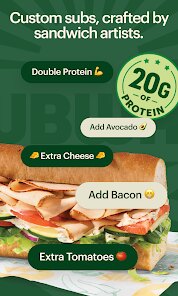
- 🎯 The customization interface is surprisingly detailed and accurate. When you build a sandwich in the app, you go through every single step that the sandwich artist would take. You choose your bread type, the cheese, whether you want it toasted, and then every single vegetable option. The app even lets you specify extra portions or light portions for things like onions or pickles. This level of granularity ensures that what you order is exactly what you get, eliminating the awkward back-and-forth at the counter.
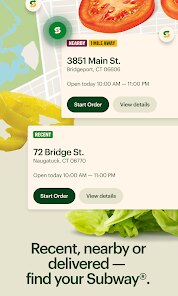
- 🎯 The location-based store finder is functional and fast. It uses your current location to show nearby Subway restaurants and displays their distance, hours of operation, and whether they are currently open. This is essential for the ordering process because not every store honors mobile orders during peak hours. The app clearly marks which locations are currently accepting mobile orders, so you never waste time placing an order that cannot be fulfilled.
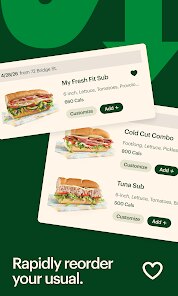
- 🎯 The saved order functionality is a huge time-saver. Once you have built your perfect sandwich, you can save it as a favorite. The next time you open the app, ordering is essentially a one-tap process. You just select your saved order, choose the quantity, and proceed to checkout. This is the feature that solved my specific problem of repeating my order every time, and it works flawlessly.
pros
- ✅ The payment integration with Apple Pay and Google Pay makes checkout incredibly fast. You do not need to dig out your wallet or type in card numbers.
- ✅ Push notifications alert you when your order is ready, which is a nice touch that helps you time your arrival at the restaurant perfectly.
- ✅ The interface is clean with a white background and simple green accents. It is not cluttered with irrelevant promotions or confusing navigation menus.
- ✅ The app remembers your last ordered location, so you do not have to search for your usual Subway every time you open it.
cons
- ❌ The app crashes occasionally during the checkout process, requiring you to restart the entire order from scratch. This is frustrating when you are in a hurry.
- ❌ Some locations do not honor mobile orders during lunch rush, which defeats the entire purpose of using the app to skip the line.
- ❌ The nutrition calculator is hidden deep in the menu settings and is not integrated into the ordering flow. It would be much more helpful to see calorie counts as you build your sandwich.
Recommended Apps
![]()
HairApp: Hair Styler App, Bald
Lyrebird Studio Teknoloji Limited Şirketi3.5

![]()
HD Wallpapers (Backgrounds)
Android Station4.4![]()
Rythmix: AI Music & Song Maker
PROMINENT FORTUNE PTE. LTD.4![]()
Pluto TV: Watch TV & Movies
Pluto, Inc.3.6![]()
Ghost Detector Real Life Radar
Spot Among Party4.3![]()
DaVinci - AI Image Generator
HubX4.3![]()
BESTPLAY Play to earn & donate
Bestplay4.7![]()
Find my Phone - Clap, Whistle
FunGear inc4.4![]()
WhatsApp Messenger
WhatsApp LLC4.2![]()
Future You: See your old face
Future Self Studio3.4![]()
Idol Prank: Video Call & Chat
BUGUN SOFTWARE COMPANY LIMITED3.3![]()
Cute Wallpapers Cool Wallpaper
DevTeamIn20200![]()
Drawify - Pencil Photo Sketch
Waitos AI4.4![]()
Photo Editor by BeFunky
BeFunky4.2![]()
Find My Phone: Find Lost Phone
FindLostCellPhone4.3














You May Like
-
![]()
Prank Sounds: Haircut & Taser
Mobile Innovate X0 -
![]()
NCAA March Madness Live
NCAA Digital4.7 -
![]()
AstroMatrix Birth Horoscopes
AstroMatrix4.7 -
![]()
Magic Voice Changer
PerryLeeGame32.3 -
![]()
Where is Santa Lite
Super Kiddo Studio4.3 -
![]()
Cat & Dog Translator Simulator
Notebook & Notepad & CV & Resume Example & Piano4 -
![]()
Google Earth
Google LLC3.8 -
![]()
Subway®
SUBWAY Restaurants4.2 -
![]()
Emoji background changer
Judi Studio4.4 -
![]()
AnimalFace - face types test
Lucky Puzzle Team4 -
![]()
QR Code Reader Barcode Scanner
Celebrity App Studio3.9 -
![]()
Daily Horoscope & Astrology
TELEMAQUE4.2 -
![]()
AI Mirror: AI Art Photo Editor
POLYVERSE INC.4.3 -
![]()
Codes for grow a garden
PetarApps0 -
![]()
Artimind: AI Art Generator
Apero Vision Lab4.3












Disclaimer
1.Apponbest does not represent any developer, nor is it the developer of any App or game.
2.Apponbest provide custom reviews of Apps written by our own reviewers, and detailed information of these Apps, such as developer contacts, ratings and screenshots.
3. All trademarks, registered trademarks, brand names and company names or logos appearing on the site are the property of their respective owners.
4.Apponbest abides by the federal Digital Millennium Copyright Act (DMCA) by responding to notices of alleged infringement that complies with the DMCA and other applicable laws.
5.If you are the owner or copyright representative and want to delete your information, please contact us [email protected].
6.All the information on this website is strictly observed all the terms and conditions of Google Ads Advertising policies and Google Unwanted Software policy.
7.apponbest.com is an independent, information-only website which is 100% free to all the users.





























